
On this page
How to Fix a Skipping or Dry Fountain Pen: Troubleshooting Guide
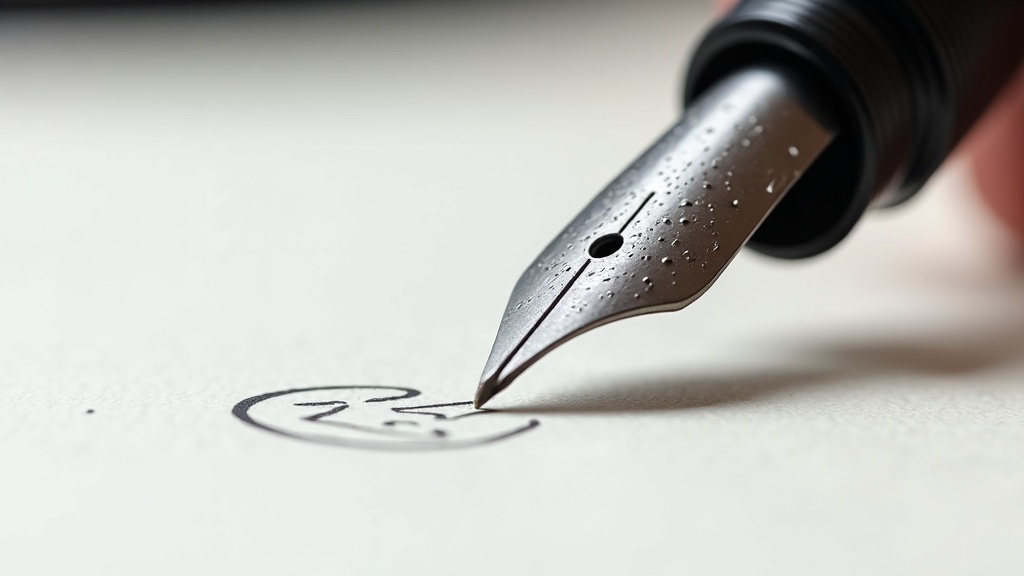
A skipping fountain pen is the most frustrating tool failure in my workflow—it breaks flow state, ruins line quality, and makes me question why I don’t just grab a ballpoint. After 10 years and 200+ pens tested, I’ve diagnosed this problem hundreds of times, and 90% of cases trace back to three fixable issues: dried ink, flow restriction, or tine misalignment.
Quick Diagnostic: What Type of Skipping Are You Seeing?
Before you grab tools, identify the pattern. Skipping behaviors point to different root causes:
- Hard starts after pausing — Likely dried ink in the feed or at the nib slit
- Random mid-stroke gaps — Usually a flow restriction (ink debris, air bubble, or feed channel blockage)
- Skips on upstrokes or light pressure — Tine misalignment or baby’s bottom (over-polished nib tip)
- Complete refusal to write — Dried solid, blocked feed, or converter/cartridge seal failure
Step 1: Flush and Clean the Feed
This fixes 70% of skipping issues. Dried ink residue, paper fibers, and micro-debris accumulate in the feed channels over weeks of use, even with the same ink. I flush every pen that sits unused for more than 5 days.
Basic Flush (For Mild Skipping)
- Remove the cartridge or converter
- Run cool water through the nib/feed under a gentle tap for 30 seconds
- Submerge the nib section in a cup of room-temperature water for 2-3 hours
- Rinse again, shake out excess water, let dry overnight on a towel
Deep Clean (For Stubborn Clogs)
When water alone won’t cut it—usually with shimmer inks, iron gall formulas, or pens that sat inked for months—I use a 10:1 water-to-ammonia solution (1 tablespoon ammonia per cup of water). Soak the nib section for 12-24 hours, then flush with clean water. This dissolves dried ink solids that water can’t touch.
Never use hot water. Heat can warp plastic feeds and loosen shellac in vintage pens.
Step 2: Check Ink Flow and Cartridge/Converter Seal
A converter that doesn’t seat properly or a cartridge with a compromised seal creates an air gap that chokes flow. This is especially common with third-party converters in Japanese pens.
Test: Hold the pen nib-up and gently squeeze the converter or cartridge. You should see a small ink bead form at the nib slit. If nothing appears, either the seal is broken or the feed channel is blocked.
Try a fresh cartridge from the manufacturer. If the problem vanishes, your converter is the culprit. I’ve had three Platinum converters fail this way—the piston seal degrades and loses suction.
Step 3: Inspect Tine Alignment
Misaligned tines—one sitting higher than the other or spread too wide—create gaps that interrupt capillary flow. This happens from drops, pressure, or factory QC misses.
Examine the nib under a 10x jeweler’s loupe. The tines should meet perfectly at the tip with a hairline gap between them (the slit). If one tine is higher, lower, or they’re splayed apart, that’s your problem.
I don’t recommend DIY tine adjustment unless you’ve practiced on junk nibs. It’s easy to over-correct and create new problems. Send it to a nibmeister or the manufacturer. But if you’re committed, use brass shim stock (.001″ thick) between the tines and gently press to realign. Go slow.
Step 4: Test for Baby’s Bottom
Baby’s bottom is an over-polished nib tip where the very point is rounded so much that it doesn’t contact the paper on light strokes. You get skipping on upstrokes and inconsistent flow.
Test on smooth paper with minimal pressure. If the pen writes fine with firm pressure but skips with a light touch, baby’s bottom is likely.
Fix: This requires re-shaping the tipping with micromesh abrasives (8000-12000 grit). I use a figure-eight pattern on 12000-grit micromesh, checking every 10 strokes under magnification. Overshoot this and you’ll create scratchiness. Unless you’re comfortable with nib work, send it out.
Step 5: Replace Dried-Out or Problematic Ink
Some inks are skipping culprits by chemistry. Shimmer inks clog feeds. Iron gall formulas dry crusty. Bargain-brand inks separate or contain debris.
If you’ve flushed the pen and the problem persists with the same ink, switch to a known-reliable formula. My benchmark test inks:
- Pilot Iroshizuku — wet flow, clean formula, works in everything
- Waterman Serenity Blue — bulletproof reliability, good for vintage pens
- Diamine — consistent batch quality, huge color range
Avoid Private Reserve, Noodler’s (inconsistent batches), and any shimmer ink in a fine or extra-fine nib.
Common Causes: Troubleshooting Matrix
| Symptom | Likely Cause | Fix |
|---|---|---|
| Hard starts after cap is off >10 seconds | Ink evaporation at nib slit; poor cap seal | Flush nib; check cap seal; switch to wetter ink |
| Mid-stroke skipping, random gaps | Feed channel blockage or air bubble | Deep clean feed; refill with fresh ink |
| Skips on upstrokes only | Baby’s bottom or very dry ink | Test with wetter ink; consider nib smoothing |
| Scratchy feel + skipping | Tine misalignment | Inspect under loupe; adjust or send to nibmeister |
| No flow at all after refill | Converter/cartridge seal failure; blocked feed | Try new cartridge; flush and soak feed overnight |
| Railroad tracks (double line) | Tines spread too wide | Gentle realignment with brass shim |
Preventive Maintenance: Stop Skipping Before It Starts
After fixing dozens of skipping pens, I’ve learned the problem is easier to prevent than cure.
- Flush every 4-6 weeks even with the same ink. Residue builds up.
- Never let a pen sit inked for >3 months without use. Ink separates and crusts in the feed.
- Use the right ink for your nib size. Fine and extra-fine nibs need wet, low-maintenance inks. Save shimmer and iron gall for medium or broad nibs.
- Cap tightly. A loose cap lets the nib dry out in hours.
- Store nib-up or horizontal, never nib-down long-term. Gravity pulls ink into the cap, creating leaks and flow issues.
When to Send It Out vs. DIY
I fix 80% of skipping issues myself with flushing, ink swaps, and basic inspection. But three scenarios get sent to a pro:
- Visible tine damage or misalignment I can’t gently correct — I’ve bent more nibs than I’ve fixed when rushing
- Vintage pens or expensive gold nibs — the risk-reward doesn’t pencil for DIY on a $400 Montblanc
- Persistent baby’s bottom after test ink swap — nib reshaping requires experience and the right tools
A nibmeister charges $25-50 for tuning. Weigh that against the pen’s value and your comfort with micro-adjustments.
Tools I Keep for Fountain Pen Troubleshooting
My maintenance kit sits in a small drawer and handles 95% of pen issues:
- Jeweler’s loupe (10x and 30x) — inspect tine alignment and tip condition
- Micromesh sheets (6000-12000 grit) — smooth nib tips and fix baby’s bottom
- Brass shim stock (.001″ thick) — gentle tine realignment
- Pen flush solution or household ammonia — deep cleaning
- Distilled water — final rinse to avoid mineral deposits
Total cost under $40. I’ve used the same loupe and micromesh for 5 years.
Frequently Asked Questions
Why does my fountain pen skip after refilling?
Air bubbles trapped in the feed during refill are the most common cause. After filling, hold the pen nib-down and gently tap the barrel to dislodge bubbles. You should see them rise to the converter. Alternatively, the new ink cartridge may not be seated fully—push firmly until you hear a click or feel resistance.
Can I use rubbing alcohol to clean a fountain pen?
No. Alcohol dissolves some plastics, shellac, and sac materials in vintage pens. It also strips lubricants from piston mechanisms. Stick to water, diluted ammonia (10:1), or dedicated pen flush solutions. I’ve seen alcohol crack a Pelikan demonstrator feed—not worth the risk.
How often should I clean my fountain pen?
Flush every 4-6 weeks if you use the pen regularly with the same ink. If you switch inks or colors, flush immediately. If a pen sits unused for more than a week, I clean it before storage. The effort is 5 minutes now versus 2 hours of deep cleaning later.
What’s the difference between skipping and hard starting?
Hard starting means the pen won’t write immediately after uncapping but flows fine once started. It’s usually dried ink at the nib slit or a poor cap seal. Skipping is intermittent flow loss during writing—gaps mid-stroke. Hard starting points to evaporation; skipping points to flow restriction or nib issues.
Will a wetter ink fix a dry or skipping pen?
Sometimes. If the underlying issue is marginal flow (a feed that runs slightly dry by design or a nib with tight tines), a wet ink like Iroshizuku or Noodler’s Black can compensate. But if the problem is a clogged feed or tine misalignment, wetter ink is a band-aid. Fix the root cause first, then optimize ink choice.
Scope, uncertainty & affiliate disclosure
Writing feel is personal. Product details can vary by version, and NibGuide does not imply that every item mentioned was personally purchased or tested.
Some links may be affiliate links. NibGuide may earn a commission at no added cost to you; this does not determine editorial conclusions.
Leave a Comment